
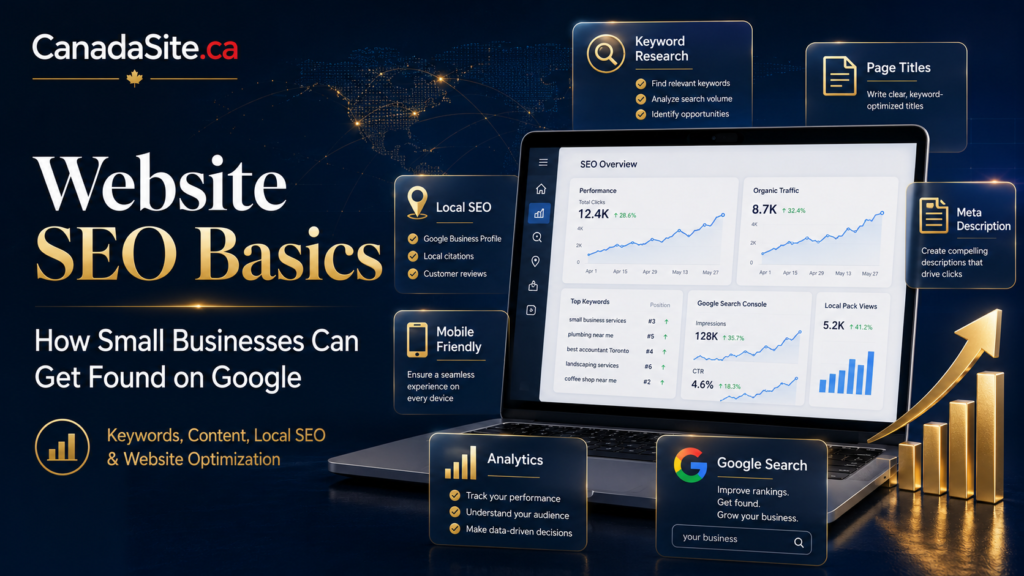
Website SEO Basics: How Small Businesses Can Get Found on Google Without Being Experts
Search engine optimization does not have to feel mysterious. This practical guide explains how small businesses can build a strong SEO foundation using clear pages, helpful content, local trust signals, better structure, and consistent online visibility.
Most small business owners do not need to become full-time SEO specialists. They need something more practical: a website that is easy to understand, easy to navigate, useful to visitors, technically healthy, and connected to the way customers actually search.
SEO is often presented as a secret game of tricks, hacks, plugins, and algorithm rumors. That approach confuses people and usually produces weak websites. Good SEO is much more disciplined. It begins with clarity: clear offers, clear pages, clear headings, clear answers, clear internal links, and clear reasons for customers to trust your business.
Google’s own SEO guidance describes optimization as a set of improvements that can help your site’s presence in search. The most important mindset is not manipulation. It is usefulness. Your pages should help people accomplish something: compare options, understand a service, solve a problem, contact your business, or make a confident decision.
Recommended SEO Setup for This Article
SEO Title: Website SEO Basics for Small Businesses: How to Get Found on Google
Suggested Slug: /website-seo-basics-small-business/
Meta Description: Learn practical website SEO basics for small businesses, including keywords, page titles, meta descriptions, content strategy, local SEO, internal links, technical SEO, and launch checklists.
Recommended Category: SEO & Marketing
Recommended Tags: SEO basics, small business SEO, Google ranking, local SEO, website traffic, content marketing, WordPress SEO
What Is SEO in Simple Business Language?
Search engine optimization, or SEO, is the process of improving your website so search engines and people can better understand it. When done properly, SEO helps your business appear for relevant searches, attract better visitors, and turn those visitors into customers, subscribers, members, donors, or inquiries.
For a small business, SEO is not only about traffic. Traffic without trust does not help. Traffic without a clear offer does not help. Traffic without a contact form, phone number, booking page, or service explanation does not help. The real goal is qualified visibility: being found by people who are looking for what you actually provide.
Visibility
SEO helps your website appear when people search for your products, services, expertise, or location.
Trust
Helpful pages, clear information, reviews, security, and consistent branding help visitors take you seriously.
Conversion
Good SEO connects search intent to action: calls, quote requests, bookings, purchases, or email signups.
How Google Understands Your Website
Search engines use many signals to discover, understand, and organize web pages. You do not need to know every technical detail to improve your site. But you should understand the basics.
Google needs to discover your pages, crawl them, understand the topic, evaluate whether they are useful, and decide when they are relevant to a search. Your job is to make that process easier by building a clean website with accurate titles, useful content, descriptive links, mobile-friendly design, and a logical structure.
Think of your website like a professional building
A visitor should be able to walk through the front door, understand where they are, see clear signs, find the right office, ask questions, and leave knowing what to do next. SEO works the same way. If your website is confusing to people, it will usually be confusing to search engines too.
Step 1: Understand Search Intent Before Writing Pages
Search intent is the reason behind a search. Someone searching “what is web hosting” is probably learning. Someone searching “best WordPress hosting for small business” is comparing. Someone searching “buy domain name Canada” may be ready to act. Your content should match the intent behind the keyword.
This is where many small businesses go wrong. They choose keywords because the words look popular, but they do not ask what the searcher actually wants. Good SEO begins by respecting the visitor’s intention.
| Search Intent | Example Search | Best Type of Page | Business Goal |
|---|---|---|---|
| Informational | What is SSL? | Educational guide or FAQ article | Build trust and explain the problem |
| Commercial | Best hosting for small business | Comparison or buying guide | Help visitors evaluate options |
| Transactional | Register domain name | Service or product page | Drive purchase or signup |
| Local | web design company near me | Local service page and Google Business Profile | Generate calls, visits, or local inquiries |
| Branded | CanadaSite.ca hosting | Homepage, service page, or brand page | Help people find you directly |
Step 2: Choose Keywords Like a Business Owner, Not a Robot
A keyword is a phrase people type into a search engine. But the best keywords are not always the biggest keywords. Small businesses often benefit more from specific, realistic, intent-driven phrases than from broad, highly competitive terms.
For example, a new business website may struggle to rank for a broad term like “website.” But it may have a much better chance with a specific phrase like “how much does a small business website cost” or “WordPress website design for local businesses.”
Start with customer questions
Write down the questions customers ask before buying. These questions often become excellent SEO topics because they reflect real demand.
- How much does this service cost?
- How long does it take?
- What is included?
- What is the difference between option A and option B?
- Can I do this myself?
- What mistakes should I avoid?
- What should I prepare before contacting you?
Example keyword strategy for a small business website
| Business Goal | Keyword Type | Example Keyword | Recommended Page |
|---|---|---|---|
| Sell website services | Service keyword | small business website design | Service page |
| Educate beginners | Informational keyword | how to start a business website | Long-form guide |
| Capture comparison traffic | Comparison keyword | WordPress vs website builder | Comparison article |
| Support local visibility | Local keyword | web design services in Canada | Location or service page |
| Build trust before purchase | Question keyword | how much does a website cost | Pricing guide |
Step 3: Build a Website Structure That Makes Sense
Website structure matters because visitors should quickly understand where to go. Search engines also use your pages and links to understand relationships between topics. A messy website makes everything harder.
A small business website does not need hundreds of pages. It needs the right pages, organized in a clear way.
Simple SEO-friendly website structure
- Homepage: Your main value proposition, services, proof, and primary call to action.
- About Page: Your story, credibility, mission, people, values, and experience.
- Services Page: A clear overview of what you offer.
- Individual Service Pages: One focused page for each important service.
- Blog or Resources: Helpful articles answering customer questions.
- Contact Page: Contact form, email, phone number, location, business hours, and response expectations.
- Legal and Trust Pages: Privacy policy, terms, editorial policy, review methodology, or disclaimers where appropriate.
If your business offers domains, hosting, WordPress, security, professional email, and SEO, each major service should eventually have its own strong page. Do not force every service into one crowded page. Focused pages usually serve visitors better.
Step 4: Write Better Page Titles and Meta Descriptions
Your page title is one of the most important pieces of SEO communication. It helps users and search engines understand what the page is about. It also often influences how your page appears in search results.
A good title is specific, readable, and accurate. It should not be stuffed with repeated keywords. It should describe the page clearly enough that the right person wants to click.
| Weak Title | Stronger Title | Why It Works Better |
|---|---|---|
| Home | Professional Website Services for Small Businesses | It explains the business offer clearly. |
| Services | WordPress Website Design, Hosting, Email, and SSL Setup | It names the actual services visitors are searching for. |
| Blog Post 1 | How to Choose a Domain Name for Your Business | It matches a real informational search intent. |
| SEO | Small Business SEO Services to Improve Online Visibility | It connects the service to the business benefit. |
How to write a strong meta description
A meta description is a short summary that may appear under your page title in search results. Google may use it when it believes the description gives users a useful summary of the page. Think of it as a small pitch for why someone should visit the page.
Example SEO Title: How to Start an Online Business Website from Scratch
Example Meta Description: Learn how to start an online business website with a practical checklist covering domain names, WordPress, hosting, professional email, SSL, backups, and SEO.
Step 5: Create Helpful Content, Not Just SEO Content
The phrase “SEO content” has done some damage. Too often, it produces pages written for algorithms instead of people. Strong content should sound like a knowledgeable professional helping a real person make a better decision.
Google’s people-first content guidance emphasizes helpful, reliable information created to benefit people. For small businesses, this means your content should demonstrate actual experience, answer real questions, and avoid shallow repetition.
Write the page your customer wishes existed
Before publishing an article, ask whether it genuinely helps the reader. Does it explain the issue? Does it reduce confusion? Does it give practical next steps? Does it show your expertise without exaggeration?
Content types small businesses should publish
How-To Guides
Teach visitors how to solve a problem or understand a process before buying.
Comparison Articles
Help visitors choose between options such as WordPress vs website builder or .com vs .ca.
Checklists
Give readers a clear action plan, especially before launching, migrating, or redesigning a website.
Case Studies
Show how a problem was solved, what changed, and what results were achieved.
FAQ Pages
Answer buying objections and customer concerns in a structured way.
Local Guides
Support local visibility by explaining services, areas served, and regional needs.
Step 6: Use Internal Links Strategically
Internal links are links from one page on your website to another page on your website. They help visitors move naturally through your content. They also help search engines understand which pages are related and which pages are important.
Every major guide should link to relevant service pages. Every service page should link to supporting guides. Every comparison article should link to the next logical action.
Example internal linking plan for CanadaSite.ca
- An article about choosing a domain name should link to Domain Registration.
- An article about WordPress vs website builders should link to WordPress Websites.
- An article about website launch checklists should link to Hosting, SSL, and Professional Email.
- An article about SEO basics should link to SEO Services and related website planning articles.
Step 7: Do Not Ignore Local SEO
If your business serves a city, region, province, country, or service area, local SEO matters. Local SEO helps people find your business when they search for services in a specific location or near them.
Google Business Profile is especially important for local visibility. Google’s local ranking guidance recommends complete and accurate business information, including what your business does, where it is located, and when customers can visit or contact you.
| Local SEO Element | Why It Matters | What to Do |
|---|---|---|
| Business Name | Helps customers identify your real brand | Use your accurate business name consistently |
| Address or Service Area | Helps Google and customers understand where you operate | Keep location or service area accurate |
| Phone and Email | Creates trust and makes contact easier | Use consistent contact information across the web |
| Business Hours | Prevents frustrated customers and missed opportunities | Update regular hours and holiday hours |
| Reviews | Provides social proof and customer confidence | Ask real customers for honest reviews and respond professionally |
| Photos | Makes your business feel active and real | Add high-quality, relevant images where appropriate |
Step 8: Cover the Technical Basics
Technical SEO sounds intimidating, but the basics are straightforward. Your website should load properly, work on mobile devices, use secure HTTPS, avoid broken links, and allow search engines to access important pages.
You do not need to become a developer, but you should know what to check before publishing or redesigning your site.
Technical SEO checklist for small businesses
- Use HTTPS: Install SSL so visitors see a secure connection.
- Make the site mobile-friendly: Test pages on phones, tablets, and desktop screens.
- Improve loading speed: Compress images and avoid unnecessary heavy scripts.
- Fix broken links: Make sure important internal and external links work.
- Use readable URLs: Choose simple slugs such as
/small-business-seo/. - Submit a sitemap: Help search engines discover your pages.
- Avoid duplicate pages: Do not publish multiple pages targeting the same idea with thin variations.
- Back up the site: Protect your content, SEO work, and business reputation.
Step 9: Make WordPress SEO-Friendly from the Beginning
WordPress can be excellent for SEO when it is configured properly. But simply using WordPress does not guarantee search visibility. You still need good structure, strong content, fast hosting, clean design, secure configuration, and ongoing maintenance.
| WordPress SEO Area | What to Check | Why It Matters |
|---|---|---|
| Permalinks | Use clean URLs based on post names | Readable URLs help users understand page topics |
| Theme Quality | Choose a fast, responsive, well-coded theme | Design and performance affect user experience |
| SEO Plugin | Use a reputable SEO plugin for titles, descriptions, sitemaps, and schema support | Helps manage important SEO settings |
| Categories | Use clear content categories | Improves organization and topical relevance |
| Images | Compress images and write meaningful alt text where appropriate | Improves speed, accessibility, and clarity |
| Security | Keep WordPress, themes, and plugins updated | Reduces vulnerabilities and protects your site |
If your website is central to your business, do not treat WordPress maintenance as optional. Updates, backups, security, speed improvements, and content refreshes all protect your investment.
Step 10: Measure What Matters
SEO takes time. If you do not measure progress, you may become discouraged too early or celebrate the wrong things. The goal is not simply to get more traffic. The goal is to attract the right traffic and turn it into meaningful business outcomes.
Important SEO metrics for small businesses
- Organic traffic: How many visitors arrive from search engines?
- Top pages: Which pages attract the most search visitors?
- Search queries: What terms are people using to find you?
- Click-through rate: Are people clicking your pages in search results?
- Conversions: Are visitors contacting you, booking, buying, or signing up?
- Local actions: Are people calling, requesting directions, or visiting your profile?
- Content gaps: What questions are not yet answered on your site?
A small business can make real progress by reviewing performance once a month. Look at which pages are working, which pages need improvement, and which customer questions deserve new content.
How Long Does SEO Take?
SEO is not instant. A new website usually needs time to be discovered, crawled, understood, trusted, and improved. Competitive industries take longer. Local niches may move faster. Existing websites with strong authority may see faster gains than brand-new domains.
The better question is not “How fast can I rank?” The better question is “What can I improve every month so my website becomes more useful, trustworthy, and visible?”
| Timeframe | What to Focus On | Expected Progress |
|---|---|---|
| Month 1 | Technical setup, page titles, meta descriptions, sitemap, essential pages | Foundation and indexing readiness |
| Months 2–3 | Publish helpful guides, improve service pages, set up internal links | Early visibility and better content coverage |
| Months 4–6 | Refresh content, improve local SEO, earn reviews, build authority | Stronger rankings for specific topics and locations |
| 6+ Months | Expand content clusters, improve conversions, build reputation | Compounding organic visibility if quality remains consistent |
Common SEO Mistakes Small Businesses Should Avoid
Many small businesses do not fail at SEO because they lack effort. They fail because their effort is scattered. They publish random posts, ignore service pages, forget local information, use weak titles, and never measure results.
| Mistake | Why It Hurts | Better Approach |
|---|---|---|
| Keyword stuffing | Makes content sound unnatural and low quality | Write naturally and use keywords where they genuinely fit |
| Thin service pages | Visitors do not understand what is included or why they should trust you | Explain benefits, process, pricing factors, FAQs, and next steps |
| No internal links | Important pages become isolated | Connect related articles, service pages, and calls to action |
| Ignoring local SEO | Local customers may not find you | Keep business profiles, contact details, and location pages accurate |
| Publishing without a plan | Content becomes random and difficult to organize | Create topic clusters around your services and customer questions |
| Expecting overnight results | Leads to frustration and abandoned strategy | Build a consistent 6–12 month improvement plan |
Small Business SEO Checklist
Use this checklist before publishing a new page or article. It is simple enough for beginners but strong enough to prevent common SEO problems.
Before you publish
- The page has one clear purpose.
- The title accurately describes the topic.
- The meta description summarizes the page clearly.
- The URL is short, readable, and relevant.
- The H1 headline is clear and specific.
- The content answers the visitor’s real question or need.
- The page includes helpful subheadings.
- The page links to relevant internal pages.
- Images are compressed and named clearly.
- The page works well on mobile.
- The page loads quickly enough to feel smooth.
- The call to action is obvious.
- The page has been proofread.
- The page is genuinely useful, not just written to fill space.
Frequently Asked Questions
Can small businesses do SEO without hiring an expert?
Yes. A small business can handle many SEO basics independently: clear page titles, helpful content, mobile-friendly pages, internal links, accurate business information, professional website structure, and regular updates. More advanced technical work may require expert help, but the foundation is accessible.
How many keywords should one page target?
One page should usually focus on one main topic and a small group of closely related phrases. Avoid forcing too many unrelated keywords into one page. A focused page is easier for visitors and search engines to understand.
Is blogging still useful for small business SEO?
Yes, if the blog answers real customer questions and supports the business strategy. Random blogging is weak. Helpful guides, comparisons, checklists, FAQs, and case studies can build trust and organic visibility over time.
Do I need a Google Business Profile?
If your business serves a local area or wants to appear in local searches, a Google Business Profile is highly valuable. Keep your information complete, accurate, and updated.
Is WordPress good for SEO?
WordPress can be very good for SEO when properly configured. You still need reliable hosting, a quality theme, good content, clean URLs, fast pages, security, backups, and regular maintenance.
What is the most important SEO task for a new website?
The most important task is creating a clear structure with strong core pages: homepage, about page, service pages, contact page, and helpful content that answers customer questions. Without that foundation, advanced SEO tactics will not help much.
Helpful External Resources
Build an SEO-Ready Website from the Beginning
SEO works best when it is built into the foundation of your website, not added as an afterthought. CanadaSite.ca can help you choose a domain, build with WordPress, select reliable hosting, secure your site with SSL, set up professional email, and prepare your pages for long-term online visibility.