
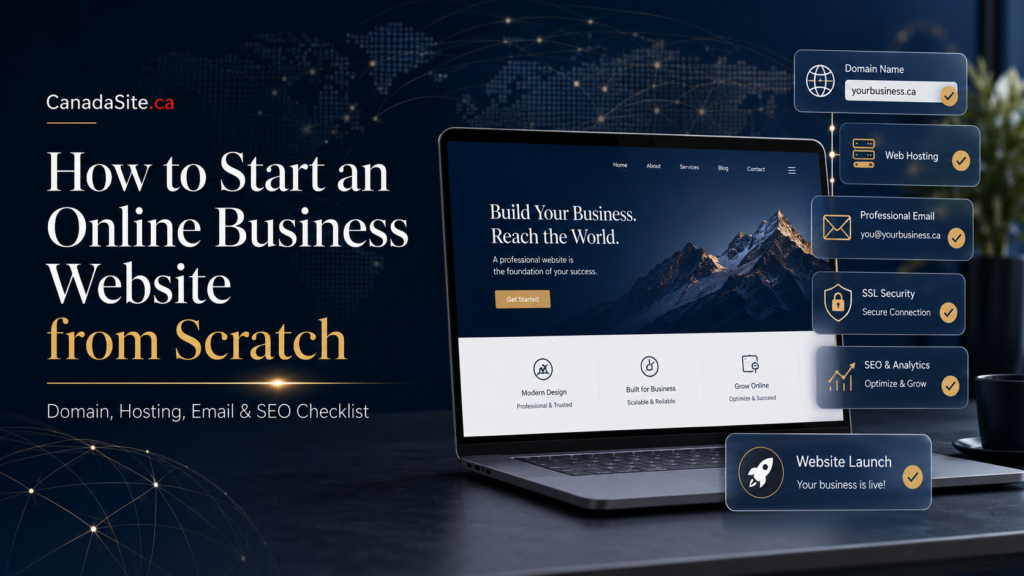
How to Start an Online Business Website from Scratch
A practical, professional guide to choosing your domain, building your website, setting up business email, protecting your site, and creating an SEO foundation that can help your brand grow beyond borders.
Starting an online business website is not just a technical project. It is a credibility project. Before someone buys from you, books a service, signs up for your newsletter, donates to your cause, or trusts your professional opinion, they often do one simple thing: they search for you online.
If your website looks unfinished, loads slowly, uses a free email address, has no SSL certificate, or fails to explain what you offer, visitors may quietly leave. They may never tell you why. In the digital economy, trust is often won or lost in a few seconds.
The good news is that a professional website does not need to be confusing. You need the right sequence: clarify your offer, choose a strong domain name, select reliable hosting, build the right pages, protect the site, set up professional email, and create an SEO foundation from day one.
Recommended SEO Setup for This Article
SEO Title: How to Start an Online Business Website from Scratch: Domain, Hosting, Email, and SEO Checklist
Suggested Slug: /start-online-business-website/
Meta Description: Learn how to start an online business website from scratch with a practical checklist covering domain names, WordPress, hosting, business email, SSL, website security, backups, and SEO.
Why Your Business Website Matters More Than Ever
Social media can help people discover you, but your website is where your brand becomes stable, searchable, and credible. A social media profile is rented space. A website built on your own domain is digital property. You control the pages, the structure, the message, the customer journey, and the long-term search value.
Whether you are launching a consulting practice in Canada, an ecommerce brand in the United States, a nonprofit with a global mission, a professional portfolio in Europe, or an educational project serving readers in Africa and beyond, your website gives your audience a place to understand you clearly.
A serious website helps you answer the questions visitors already have: Who are you? What do you offer? Why should they trust you? How can they contact you? What proof do you provide? What should they do next?
Domains
Secure a memorable web address for your brand, campaign, organization, or business idea.
Register a domainWordPress
Build a flexible website that can grow from a simple launch page into a full content platform.
Build with WordPressSecurity
Protect your visitors and your reputation with SSL, backups, and website security tools.
Secure your websiteStep 1: Define the Purpose of Your Website Before Buying Anything
Many beginners make the mistake of starting with design. They compare templates, colors, fonts, animations, and images before answering the most important business question: what is this website supposed to accomplish?
A website without a clear purpose becomes expensive decoration. A website with a clear purpose becomes a business asset.
Clarify your website’s primary goal
Before choosing a domain or hosting plan, decide whether your website exists to sell products, generate leads, publish content, accept bookings, present a portfolio, build authority, collect donations, support members, or educate a specific audience.
- Business website: Focus on services, credibility, testimonials, contact forms, and conversion pages.
- Blog or media site: Focus on categories, editorial structure, SEO, author credibility, and content publishing.
- Online store: Focus on product pages, payment options, shipping, trust badges, and customer support.
- Nonprofit or community site: Focus on mission, donations, stories, events, transparency, and impact.
- Professional portfolio: Focus on expertise, case studies, biography, achievements, and inquiry forms.
Once you know the purpose, every decision becomes easier. The domain name becomes easier. The website structure becomes easier. The homepage message becomes easier. Even your SEO strategy becomes more focused because you know exactly who you are trying to reach.
Step 2: Choose a Domain Name That Builds Trust
Your domain name is the front door of your online identity. It appears on business cards, invoices, email addresses, search results, social media profiles, advertisements, and customer conversations. A good domain should be easy to say, easy to spell, easy to remember, and appropriate for your market.
According to ICANN’s domain registration guidance, domain names can be registered through accredited registrars and their resellers. That means you do not need to deal directly with complex registry systems. A reliable provider can help you search, register, renew, and manage your domain from one account.
What makes a strong domain name?
- Short enough to remember: Avoid long names that are difficult to type on mobile devices.
- Clear enough to understand: Visitors should get a sense of your brand or category quickly.
- Professional enough to trust: Avoid confusing numbers, unnecessary hyphens, or words that look suspicious.
- Flexible enough to grow: Do not choose a domain so narrow that it limits your future services.
- Available across key channels: Check whether matching social media handles are available where possible.
.com, .ca, .org, or something else?
There is no single perfect extension for every project. The best choice depends on your audience, your brand, and your long-term strategy.
| Domain Extension | Best Use | Strategic Advantage | Possible Limitation |
|---|---|---|---|
| .com | Global businesses, startups, blogs, ecommerce, SaaS, consulting | Widely recognized and trusted across international markets | Your preferred name may already be taken |
| .ca | Canadian businesses, local services, Canadian organizations | Strong national identity and trust for Canadian customers | May feel less global if your audience is mostly outside Canada |
| .org | Nonprofits, educational initiatives, advocacy, research communities | Often associated with mission-driven work | Not always ideal for commercial brands |
| Industry-specific extensions | Creative campaigns, niche brands, special projects | Can be memorable and category-specific | Some users may be less familiar with them |
If your business is Canadian but has global ambitions, you may consider registering both the .ca and .com versions when available. This protects your brand, reduces confusion, and gives you flexibility as your audience grows.
Step 3: Choose the Right Website Platform
After choosing your domain, the next decision is your website platform. This choice affects design flexibility, SEO control, ownership, publishing workflow, integrations, ecommerce, speed, and long-term maintenance.
For many small businesses and publishers, WordPress remains one of the most flexible options because it can support blogs, business websites, landing pages, ecommerce, membership sites, directories, online courses, and more. The official WordPress requirements page recommends modern PHP, MySQL or MariaDB, HTTPS support, and a compatible web server environment.
| Platform Type | Best For | Strength | Watch Out For |
|---|---|---|---|
| Website Builder | Beginners who need a simple website quickly | Easy setup, templates, low technical barrier | May offer less flexibility as the website grows |
| WordPress | Businesses, blogs, publishers, nonprofits, ecommerce, SEO-focused websites | Highly flexible, scalable, content-friendly, large plugin ecosystem | Requires updates, security practices, and proper hosting |
| Custom Development | Complex platforms, apps, marketplaces, advanced systems | Built exactly around your business model | Higher cost, longer development time, ongoing technical dependency |
If you want speed and simplicity, a website builder may be enough. If you want long-term publishing power, design flexibility, strong SEO structure, and room to expand, WordPress is often the better strategic choice.
Step 4: Select Hosting That Matches Your Ambition
Hosting is where your website lives. It affects loading speed, uptime, security, scalability, backups, email configuration, and the overall reliability of your online presence. Cheap hosting can be useful for experimentation, but a serious business should not choose hosting only by the lowest monthly price.
Your hosting decision should reflect the type of website you are building. A small portfolio site does not need the same infrastructure as a busy ecommerce store, a high-traffic publication, or a membership platform.
| Hosting Option | Best For | Why It Matters |
|---|---|---|
| cPanel Hosting | Small business websites, basic WordPress sites, professional email setups | Gives familiar control over files, databases, email, domains, and server settings |
| WordPress Hosting | WordPress-focused businesses, blogs, publishers, and service websites | Optimized for WordPress performance, updates, and easier management |
| Web Hosting Plus | Growing websites that need more power than basic shared hosting | Provides stronger resources for heavier traffic and more demanding sites |
| VPS Hosting | Advanced users, agencies, developers, high-control projects | Offers more control, dedicated resources, and scalability |
Hosting questions to ask before you buy
- Will this hosting plan support my website platform properly?
- Does it include SSL support or easy SSL installation?
- Can I scale if my traffic increases?
- Does it offer backups or easy backup integration?
- Is support available when something goes wrong?
- Can I manage domains, databases, and email from one dashboard?
Step 5: Set Up Professional Business Email
A professional email address is one of the simplest trust signals a business can create. Compare these two addresses:
Generic: [email protected]
Professional: [email protected]
The second one looks more established, more organized, and more trustworthy. It tells visitors that your brand has a real domain, a real identity, and a professional communication system.
Choose email addresses by role, not just by person
Role-based email addresses make your business easier to manage as it grows. They also help customers understand where to send specific inquiries.
- [email protected] for general contact
- [email protected] for customer support
- [email protected] for invoices and payments
- [email protected] for press and partnership inquiries
- [email protected] for personal professional communication
For many businesses, Microsoft 365 or another professional email system can improve reliability, collaboration, calendar management, file sharing, and communication standards.
Step 6: Build the Essential Pages First
A new website does not need dozens of pages on day one. It needs the right pages. Start with a simple structure that answers visitor questions and guides them toward action.
| Page | Purpose | What to Include |
|---|---|---|
| Homepage | Explain who you help, what you offer, and why visitors should trust you | Clear headline, short value proposition, key services, proof, call to action |
| About Page | Build credibility and human connection | Story, mission, experience, values, team, location, credentials |
| Services Page | Describe what you sell or provide | Service categories, benefits, process, pricing guidance, inquiry button |
| Contact Page | Make it easy to reach you | Contact form, email, business hours, location if relevant, response expectations |
| Blog or Resources | Educate visitors and build search visibility | Helpful articles, guides, FAQs, comparisons, tutorials |
| Privacy Policy | Explain how visitor information is handled | Data collection, cookies, forms, analytics, third-party tools |
Do not write your website only from your own perspective. Write from the visitor’s perspective. They are asking: Can this business solve my problem? Is it credible? Is the offer clear? Is the next step easy?
Step 7: Secure the Website Before Launch
Website security is not only for big companies. Small businesses, nonprofits, blogs, and local organizations can all become targets. Security protects your visitors, your brand reputation, your search visibility, and your ability to keep operating.
Government cybersecurity resources such as CISA’s cyber guidance for small businesses and the Canadian Centre for Cyber Security’s baseline controls for small and medium organizations emphasize practical steps that small organizations can take to reduce risk.
Minimum website security checklist
- SSL certificate: Protects data exchanged between your website and visitors.
- Strong passwords: Use unique, complex passwords for hosting, WordPress, email, and admin accounts.
- Multi-factor authentication: Add another layer of protection wherever available.
- Website backups: Keep recoverable copies of your website in case of error, hacking, or server failure.
- Plugin and theme updates: Keep WordPress components current to reduce known vulnerabilities.
- Security monitoring: Use tools that help detect malware, suspicious changes, and unauthorized access.
Step 8: Create an SEO Foundation Before Publishing
Search engine optimization begins before your website goes live. It is not something you sprinkle on top after launch. Your site structure, page titles, URLs, headings, internal links, image names, content quality, and loading performance all influence how easy it is for search engines and humans to understand your website.
Google’s SEO Starter Guide encourages website owners to create helpful, reliable content that serves people first. That is the right mindset. SEO should not make your content robotic. It should make your expertise easier to find, understand, and trust.
Start with search intent
Search intent means the reason behind a search. A person searching “how to register a domain name” needs education. A person searching “buy domain name Canada” may be ready to act. A person searching “WordPress hosting vs shared hosting” wants comparison. Your pages should match the visitor’s intent.
Basic SEO checklist for a new business website
- Use one clear H1 headline per page: The main headline should explain the page topic clearly.
- Write useful page titles: Each title should be specific, readable, and relevant to the page content.
- Create clean URLs: Use simple slugs such as
/web-design-services/instead of confusing strings. - Add internal links: Connect related pages so visitors and search engines can navigate your content.
- Optimize images: Compress images, use descriptive file names, and add meaningful alt text where appropriate.
- Write original content: Avoid thin generic pages. Explain your process, experience, examples, and value.
- Answer real questions: Add FAQs based on what customers actually ask before buying.
- Make the site mobile-friendly: Many visitors will experience your website first on a phone.
- Improve speed: Avoid heavy pages, oversized images, and unnecessary scripts.
- Set up analytics: Track traffic, top pages, conversions, and user behavior over time.
Example keyword map for a new service business
| Page | Target Keyword | Search Intent | Content Angle |
|---|---|---|---|
| Homepage | business website services | Commercial | Who you help, what you do, why you are credible |
| Service Page | WordPress website design | Commercial | Process, benefits, packages, examples, inquiry form |
| Blog Article | how much does a website cost | Informational | Transparent cost factors and planning advice |
| Comparison Article | WordPress vs website builder | Comparison | Pros, cons, best use cases, decision framework |
| FAQ Page | website launch questions | Informational | Answers to common beginner questions before launch |
Step 9: Write Website Content That Converts Visitors Into Customers
Beautiful design attracts attention, but clear content earns action. Visitors should not have to decode what you do. Your homepage should tell them, quickly and confidently, who you serve, what problem you solve, and what step to take next.
The strongest website copy is usually simple, specific, and benefit-driven. It does not hide behind vague phrases like “innovative solutions for modern businesses.” It explains the actual value.
| Weak Website Copy | Stronger Website Copy |
|---|---|
| We provide digital solutions for clients worldwide. | We build secure, professional websites for small businesses that need domains, hosting, email, and SEO-ready design in one place. |
| Contact us for more information. | Book a consultation and we will help you choose the right domain, hosting plan, email setup, and launch strategy. |
| We are passionate about technology. | We help business owners turn their ideas into credible websites that are easy to manage and ready for growth. |
A simple homepage formula
- Headline: Say clearly what you help people do.
- Subheadline: Explain who it is for and why it matters.
- Primary call to action: Tell visitors what to do next.
- Service cards: Show your main offers in simple categories.
- Proof: Add testimonials, results, credentials, partners, or examples.
- Process: Explain how working with you happens step by step.
- FAQ: Remove hesitation by answering common objections.
- Final CTA: Repeat the next step at the bottom of the page.
Step 10: Use a Complete Website Launch Checklist
Launching a website should not feel like throwing something into the dark and hoping it works. Use a checklist. A checklist protects you from avoidable mistakes and gives you confidence that the essentials are in place.
Pre-launch checklist
- Domain name is registered and connected correctly.
- Website hosting is active and appropriate for the platform.
- SSL certificate is installed and the site loads with HTTPS.
- Professional email address is created and tested.
- Homepage clearly explains the offer and target audience.
- About, Services, Contact, Privacy Policy, and key pages are published.
- Contact forms are tested and messages arrive in the correct inbox.
- Mobile layout is checked on different screen sizes.
- Images are compressed and display correctly.
- Navigation menu is simple and functional.
- Page titles and meta descriptions are written.
- Internal links connect related pages.
- Backup system is configured.
- Security tools are enabled.
- Analytics and search tools are connected where appropriate.
- Legal pages and business contact information are reviewed.
- Final proofreading is completed before promotion.
Common Website Mistakes to Avoid
Many websites fail not because the idea is bad, but because the execution creates friction. Avoiding a few common mistakes can immediately make your website more professional.
| Mistake | Why It Hurts | Better Approach |
|---|---|---|
| Choosing a confusing domain | Visitors forget it, misspell it, or distrust it | Choose a short, clear, brandable name |
| Using free email for business | It can make the brand look temporary or less professional | Use a domain-based email address |
| Ignoring mobile design | Visitors leave if the site is hard to use on phones | Test every important page on mobile |
| Publishing thin content | Visitors do not understand the offer or trust the expertise | Write specific, helpful, original content |
| Skipping backups | A technical error or attack can become a crisis | Set up reliable website backups before launch |
| No clear call to action | Visitors do not know what to do next | Add visible buttons for contact, quote requests, booking, or purchase |
How Much Should You Budget?
The cost of starting an online business website depends on your goals. A simple informational site can be launched with a domain, hosting, email, and a clean design. A more advanced site may require premium themes, plugins, ecommerce tools, copywriting, branding, SEO, booking systems, membership features, or professional design support.
Instead of asking only, “How cheap can I make this?” ask a better question: “What does my website need in order to look credible, function reliably, and support my business goals?”
Typical website investment categories
- Domain registration: Your website address and brand identity online.
- Hosting: The server environment where your website runs.
- SSL and security: Protection for visitors and your online reputation.
- Professional email: Branded communication for trust and consistency.
- Design and development: The visual and functional build of your site.
- Content and SEO: The words, structure, and optimization that help people find and understand you.
- Maintenance: Updates, backups, monitoring, improvements, and troubleshooting.
Frequently Asked Questions
Can I start a business website without technical experience?
Yes. Many business owners start without technical experience. The key is to use a clear process: register a domain, choose the right website platform, select hosting, create essential pages, secure the site, and publish useful content. A good provider can simplify the technical steps.
Should I choose WordPress or a website builder?
Choose a website builder if you need something simple and fast. Choose WordPress if you want more flexibility, stronger publishing features, SEO control, plugin options, and long-term growth potential.
Do I really need a professional email address?
Yes, if you want your brand to look credible. A domain-based email such as [email protected] looks more professional than a free email address and helps create consistency across your website, invoices, forms, and customer communication.
Is SSL necessary for every website?
Yes. SSL helps protect information exchanged between your website and visitors. It also gives visitors confidence because modern browsers clearly show whether a site is using HTTPS.
When should I think about SEO?
You should think about SEO before launch. Your page structure, headings, URLs, internal links, content quality, image optimization, and mobile experience should be planned from the beginning.
How many pages do I need at launch?
Most small business websites can begin with five to seven essential pages: Homepage, About, Services, Contact, Privacy Policy, Blog or Resources, and one strong service or landing page. You can expand later.
Helpful External Resources
Ready to Build a Website That Looks Professional from Day One?
CanadaSite.ca helps entrepreneurs, small businesses, creators, nonprofits, and growing organizations take the right first steps online. Start with your domain, choose the right hosting, protect your website, set up professional email, and build a foundation that can grow with your ambition.